
Drafts, versions & scheduling
What you'll learn
Drafts, the version history and restoring, and publishing or unpublishing at a set time.
Before this page: Configuration.
{ slug: 'posts', drafts: true, fields: [/* … */] }A collection (or global) with drafts: true gets a status of draft or published. New documents start as drafts.
- Drafts may be incomplete:
requiredis not enforced whilestatusisdraft; types still are. - Publishing validates everything.
- Reads return published documents unless you pass
draft: true:find,findById,count, populated relationships and the REST API. Over REST,?draft=trueonly works for logged-in users.
await cms.find('posts') // published only
await cms.find('posts', { draft: true }) // everything
await cms.update('posts', id, { status: 'published' }) // publish
await cms.update('posts', id, { status: 'draft' }) // unpublish
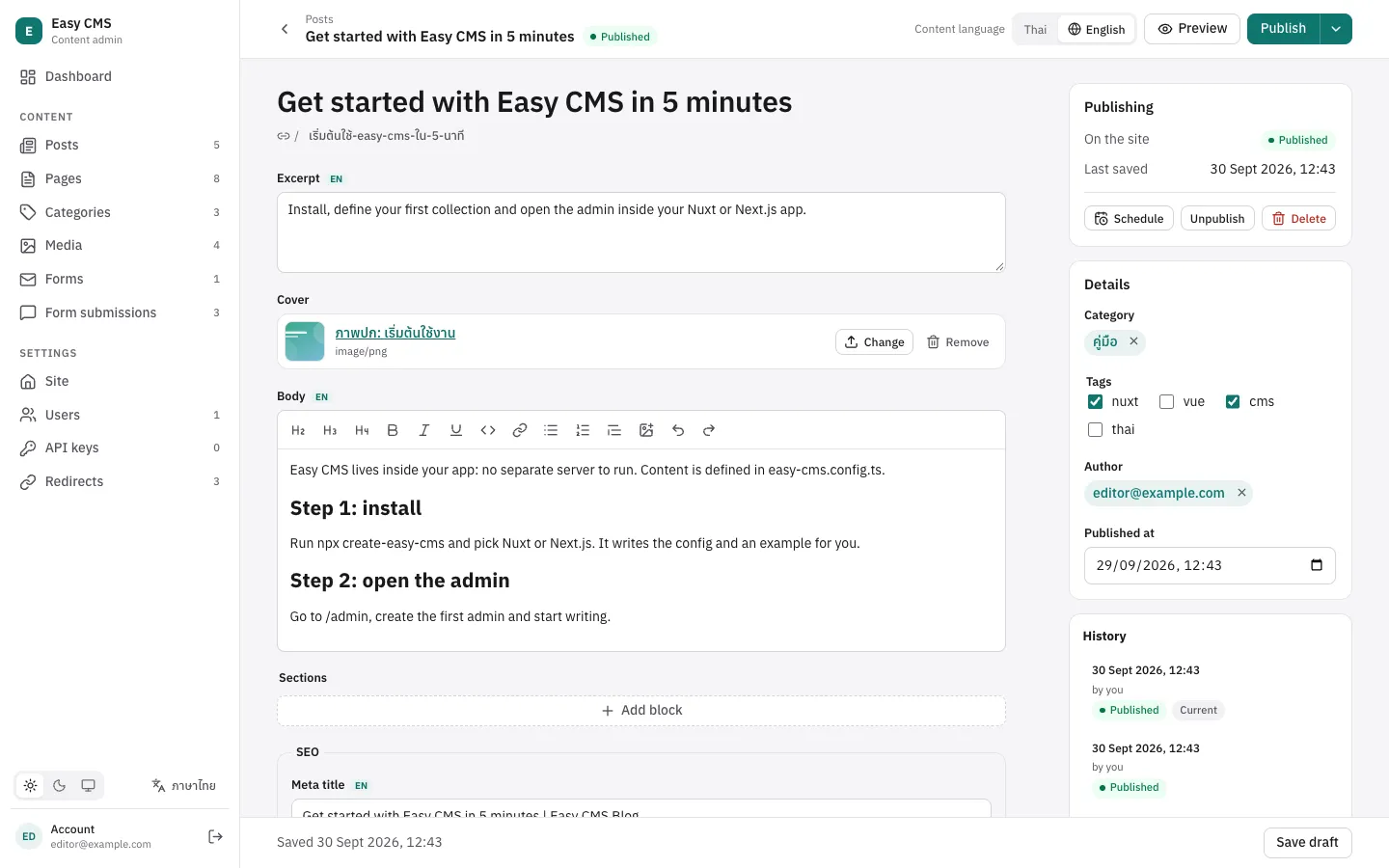
In the admin, a draft has Save draft and Publish; a published document has Save (stays published) and Unpublish.
Without versions a document has one copy: saving a published document as a draft unpublishes it. Turn on versions to edit drafts while the published version stays live.
Versions
{ slug: 'posts', drafts: true, versions: true, fields: [/* … */] }
// or versions: { max: 100 } — versions kept per document (default 50)
With versions, every save of a document (or global) is kept as a version:
- History: list versions, see a document as it was, and restore one. Restoring saves the old content as a new version; with drafts it is restored as a draft.
- Separate drafts (with
drafts: true): saving a draft of a published document keeps the draft as a version. The site keeps showing the published content until you publish again. Reads withdraft: true(the admin, previews) return the pending draft. - Unpublish is its own action, and a pending draft can be discarded to go back to what is live. Discarded drafts stay in the history.
await cms.update('posts', id, { title: 'New title', status: 'draft' }) // live post unchanged
await cms.findById('posts', id) // the published post
await cms.findById('posts', id, { draft: true }) // the pending draft
await cms.update('posts', id, { status: 'published' }) // publish the draft
await cms.discardDraft('posts', id) // or throw it away
await cms.unpublish('posts', id) // take the post off the site

const { docs } = await cms.findVersions('posts', id) // newest first: id, status, latest, author, createdAt
const version = await cms.findVersion('posts', id, docs[1].id) // { ..., data }
await cms.restoreVersion('posts', id, docs[1].id)
Globals have the same methods: findGlobalVersions, findGlobalVersion, restoreGlobalVersion, unpublishGlobal and discardGlobalDraft.
In the admin, documents with versions get a History panel. A published document with a pending draft shows Unpublished changes, with Publish changes, Save draft, Discard changes and Unpublish.
Things to know:
- Only users who may update a document can read its versions; they hold unpublished content.
- Versions are stored in one table (
ecms_document_versions), added when the first collection or global turns versions on. In production that change needs a migration like any other. wherefilters and sorting apply to the published content; a pending draft is shown in the results but not matched on its own values.- Hidden fields (such as password hashes) are never stored in versions.
Scheduled publishing
{ slug: 'posts', drafts: true, schedule: true, fields: [/* … */] }schedule lets editors publish or unpublish at a set time (the admin gets a Schedule button). With versions, a scheduled publish puts the pending draft live.
await cms.schedule('posts', id, { action: 'publish', at: '2026-10-01T09:00:00+07:00' })
await cms.scheduled('posts', id) // pending jobs, soonest first
await cms.cancelSchedule('posts', id, jobId)
Scheduling the same action again replaces the pending job. Globals have scheduleGlobal, scheduledGlobal and cancelGlobalSchedule.
Who runs the jobs. Long-running servers (Nuxt, easy-cms serve, a self-hosted Next.js) check every minute. On serverless platforms nothing keeps running, so call the jobs endpoint from a cron:
// vercel.json — Vercel Cron sends Authorization: Bearer $CRON_SECRET
{ "crons": [{ "path": "/api/cms/jobs/run", "schedule": "* * * * *" }] }
Set CRON_SECRET (or cronSecret in the config). Logged-in admins can call it too, and npx easy-cms run-scheduled runs due jobs once from any cron. Failed jobs (e.g. a publish that doesn't pass validation) are logged and not retried. The same run retries webhook deliveries that failed earlier.
Next steps
- Live preview: preview drafts on the real page.
- Webhooks: tell other services about publishing.